







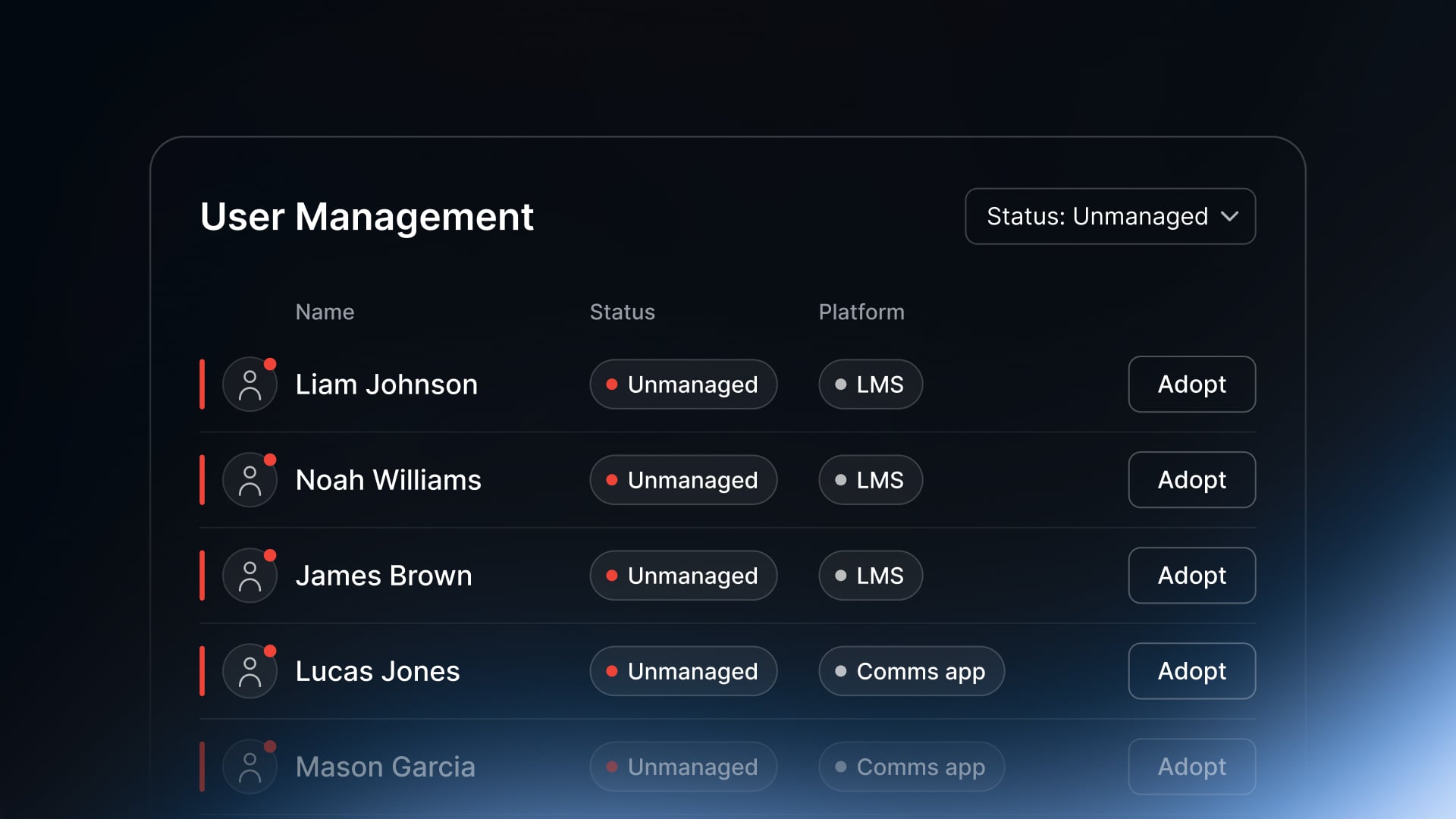


Unmanaged Accounts is now in Connect Frontline. It shows IT every account in a connected platform that sits outside Connect Frontline, so those accounts can be brought under control.
In this article
- Accounts created outside the normal process sit outside access control
- Unmanaged Accounts lists every account Connect Frontline doesn't manage
- Adopt or ignore accounts, one at a time or in bulk
- Get started
Accounts created manually end up outside access control
An account created by hand in a platform isn't tied to the HR record. Nothing updates it when the person changes role, and nothing removes it when they leave.
That gap shows up in two ways. Leavers keep logins to platforms that were set up outside the normal process. And licences are paid for accounts nobody can explain.
See every account Connect Frontline doesn't manage
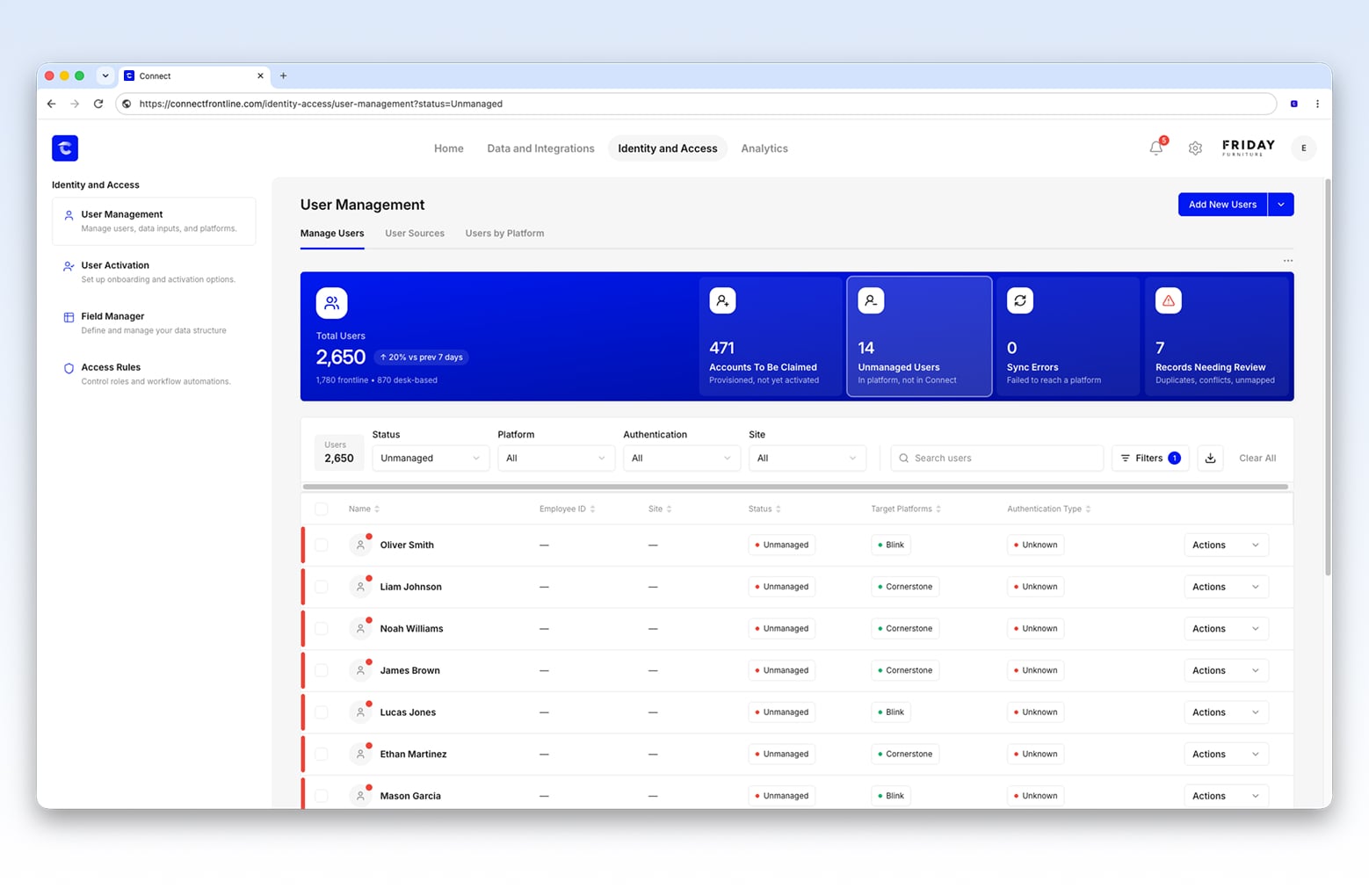
Today we're introducing Unmanaged Accounts. It lists every account found in a connected platform that Connect Frontline doesn't manage, alongside the platform it was found in.
An unmanaged account is an account that exists in a connected platform but not in Connect Frontline.
What's new
- Every unmanaged account is listed against the platform it was found in.
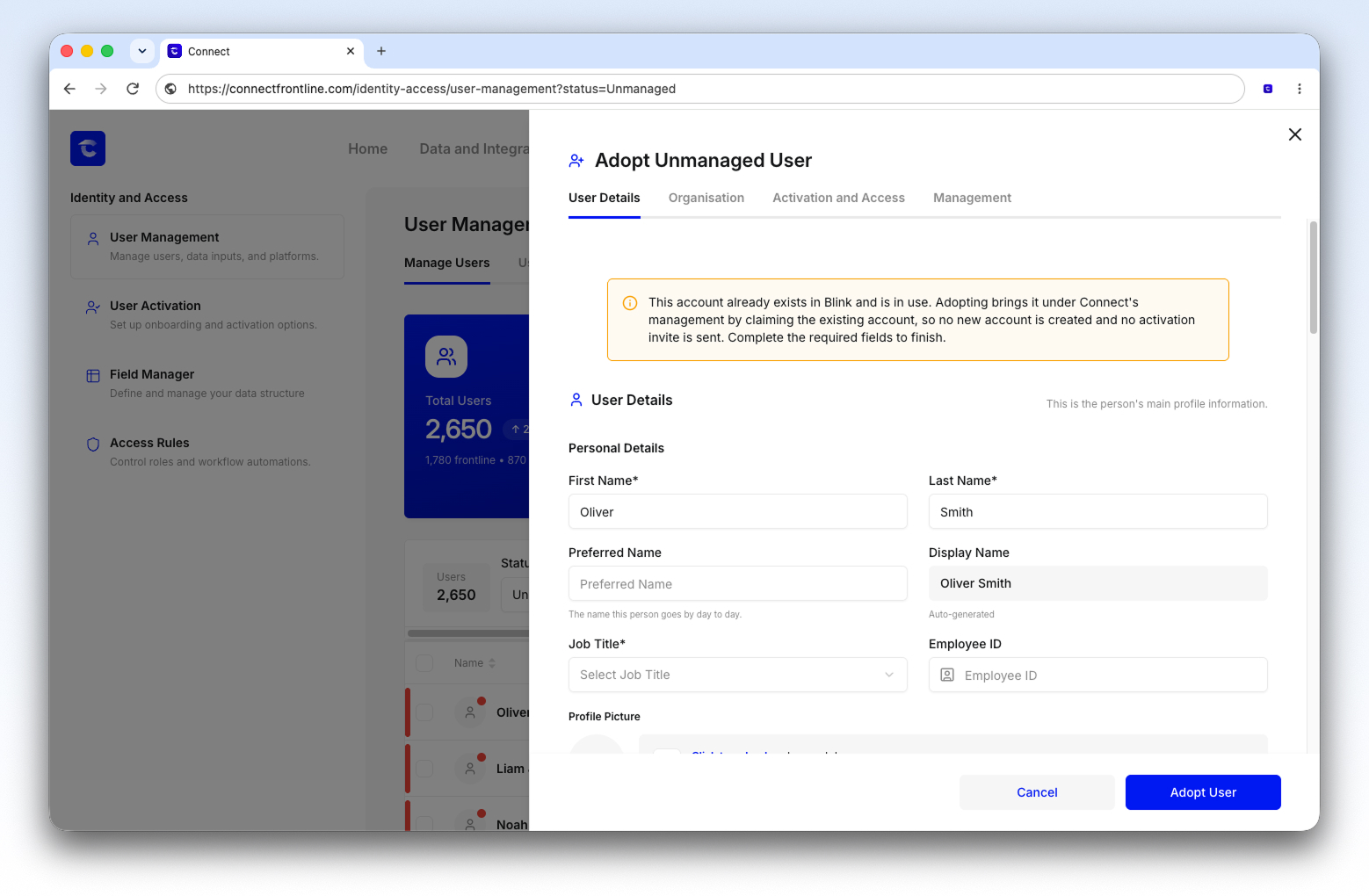
- Adopting an account opens the user form prefilled from the platform, so it comes under Connect Frontline with its details already filled in.
- Accounts that belong to leavers can be removed, and any others you don't want to adopt can be ignored.
- Adopt and ignore both work in bulk, so a backlog can be cleared in one pass.
Adopt or ignore accounts, one at a time or in bulk
Unmanaged Accounts sits in Identity and Access, alongside the error and duplicate queues. It also has its own tile on the Admin Console home screen.
- Open Unmanaged Accounts from the home screen tile or from Identity and Access.
- Work through the list platform by platform.
- Select the accounts that should be managed and adopt them. Check the details in the prefilled user form.
- Remove accounts that belong to leavers, and ignore any others you don't want to adopt.
Adopt and ignore both work in bulk, so the first pass through a long list doesn't have to be done one account at a time.
Get started
Unmanaged Accounts is available to all customers now. If you already use Connect Frontline, you'll find it under Identity and Access in the Admin Console.
New to Connect Frontline? Book a demo to see how it gives IT control over frontline access.
Related: Introducing Field Manager